How To Disable Mouse Acceleration in Marvel Rivals
- By Henry
- Jan 04,2025
Mouse acceleration is detrimental to competitive shooters, and Marvel Rivals is no exception. The game inexplicably enables mouse acceleration by default, lacking an in-game toggle. Here's how to disable it:
Disabling Mouse Acceleration in Marvel Rivals
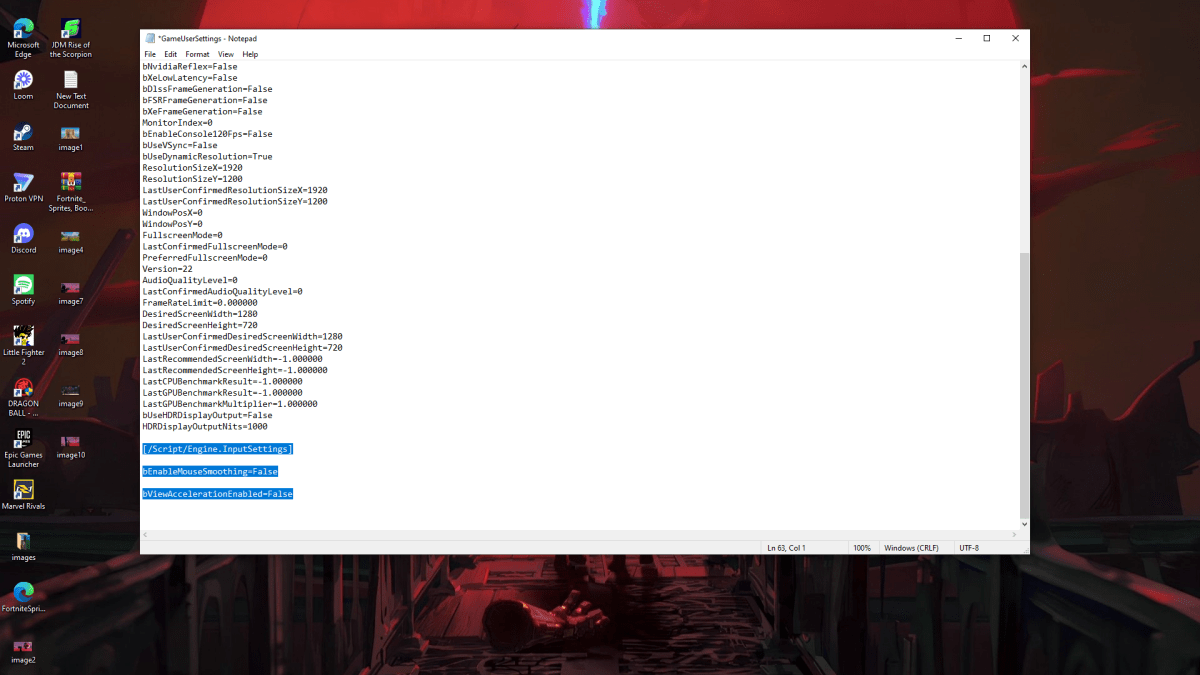
Since the game offers no in-game setting, you must manually edit a configuration file. Follow these steps:
- Press Windows key + R, then type
%localappdata%and press Enter. - Locate the
Marvelfolder, then navigate toMarvelSavedConfigWindows. - Open
GameUserSettings.iniusing Notepad (or a similar text editor). - Add the following lines to the end of the file:
[/Script/Engine.InputSettings]
bEnableMouseSmoothing=False
bViewAccelerationEnabled=False- Save (Ctrl + S), close the file, then right-click it, select Properties, check "Read-only," and click Apply.
This disables mouse acceleration within the game. For optimal results, also disable it in Windows:
Disabling Mouse Acceleration in Windows
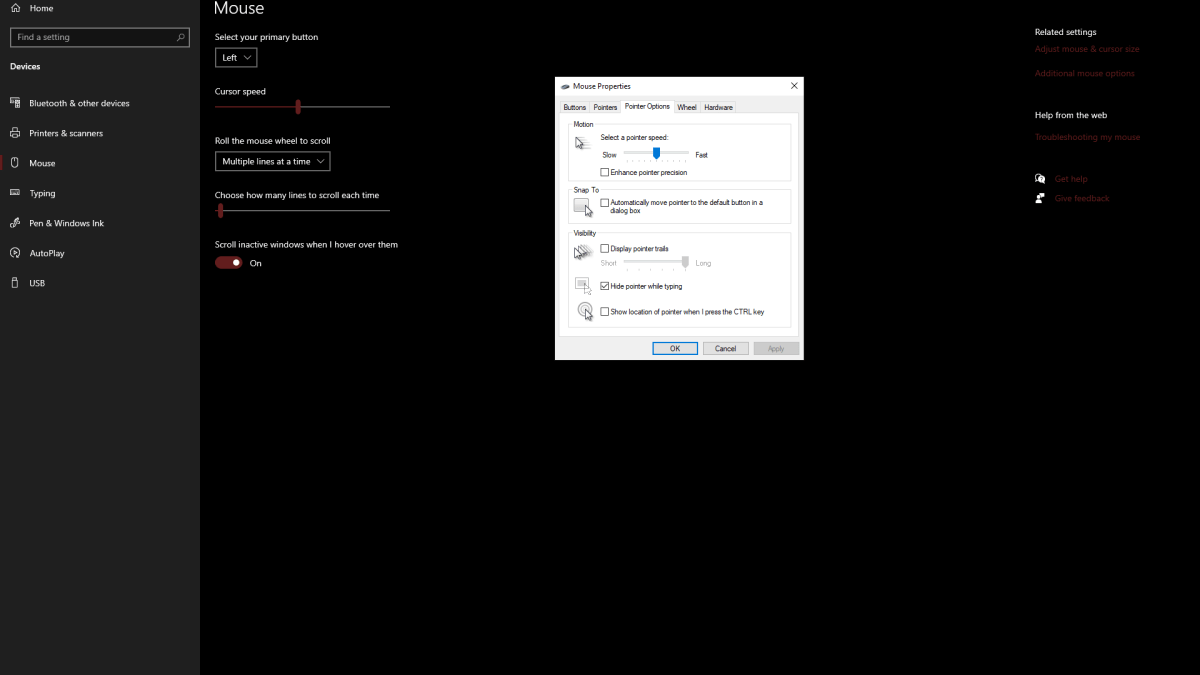
- In the Windows search bar, type "Mouse" and select "Mouse settings."
- Click "Additional mouse options" (usually in the top right).
- Go to the "Pointer Options" tab.
- Uncheck "Enhance pointer precision."
- Click Apply and OK.
With mouse acceleration disabled in both the game and Windows, your aim will be significantly improved due to consistent sensitivity, allowing for better muscle memory development.
Understanding Mouse Acceleration
Mouse acceleration dynamically adjusts your sensitivity based on mouse movement speed. Fast movements result in high sensitivity, while slow movements result in low sensitivity. This is generally undesirable in shooters, as consistent sensitivity is crucial for building muscle memory and improving accuracy. Marvel Rivals, therefore, benefits greatly from disabling this feature.
Marvel Rivals is available now on PS5, PC, and Xbox Series X|S.